


There is a specific type of awkwardness that hits when you realize your camera is on but your shirt is inside out. Or worse, when you look polished on top but forget to check if your hair is sticking up like a dandelion because you spent the morning in sweatpants. Remote work changed how we dress, but it didn't change how we are perceived. In fact, the focus has narrowed. You no longer need to worry about matching shoes or ensuring your belt sits correctly. Now, everything above the waist matters more than ever.
This shift requires a new strategy. It is not about wearing a full suit every day; it is about curating a professional appearance that works for the frame. Whether you are joining a client pitch from your kitchen table or a team stand-up from your couch, the goal is to look put-together without feeling restricted. This guide breaks down exactly how to build a wardrobe that handles the waist-up constraint with ease, comfort, and style.
The New Rules of Camera-Ready Wardrobes
When you switch from in-person meetings to video calls, three things happen to your outfit: lighting changes, angles compress, and movement becomes limited. Understanding these factors is the first step to looking good on screen.
- Lighting Flattens Texture: Natural light from a window can wash out delicate fabrics like silk or thin knits. Opt for structured materials like cotton twill, wool blends, or high-quality synthetics that hold their shape under direct light.
- Angles Compress Proportions: A webcam captures you from a slightly elevated angle. This can make broad shoulders look wider and narrow waists disappear. Avoid overly tight tops that cling to the midsection, as they can create unflattering lines on a 2D plane.
- Movement is Minimal: You are mostly sitting still. This means you don’t need stretchy athletic wear. Instead, prioritize garments that drape well and maintain a clean silhouette even when you are stationary for hours.
The core principle here is simplicity. Complex patterns, like small checks or busy florals, can pixelate or shimmer on lower-resolution cameras. Solid colors or large-scale prints read much better on screen. Stick to neutral bases-navy, charcoal, white, cream, and olive-and add one pop of color per outfit to keep your face illuminated and your look fresh.
Building Your Waist-Up Capsule
You do not need a closet full of options. You need a few reliable pieces that mix and match effortlessly. A waist-up capsule focuses on tops, layers, and accessories that sit above the navel. Here is what should be in your rotation.
| Category | Recommended Items | Why It Works on Camera |
|---|---|---|
| Tops | Crisp button-downs (white, light blue), fine-gauge merino sweaters, quality t-shirts (black, grey) | Structured collars define the jawline; fine knits avoid bulk; solid colors prevent pixelation. |
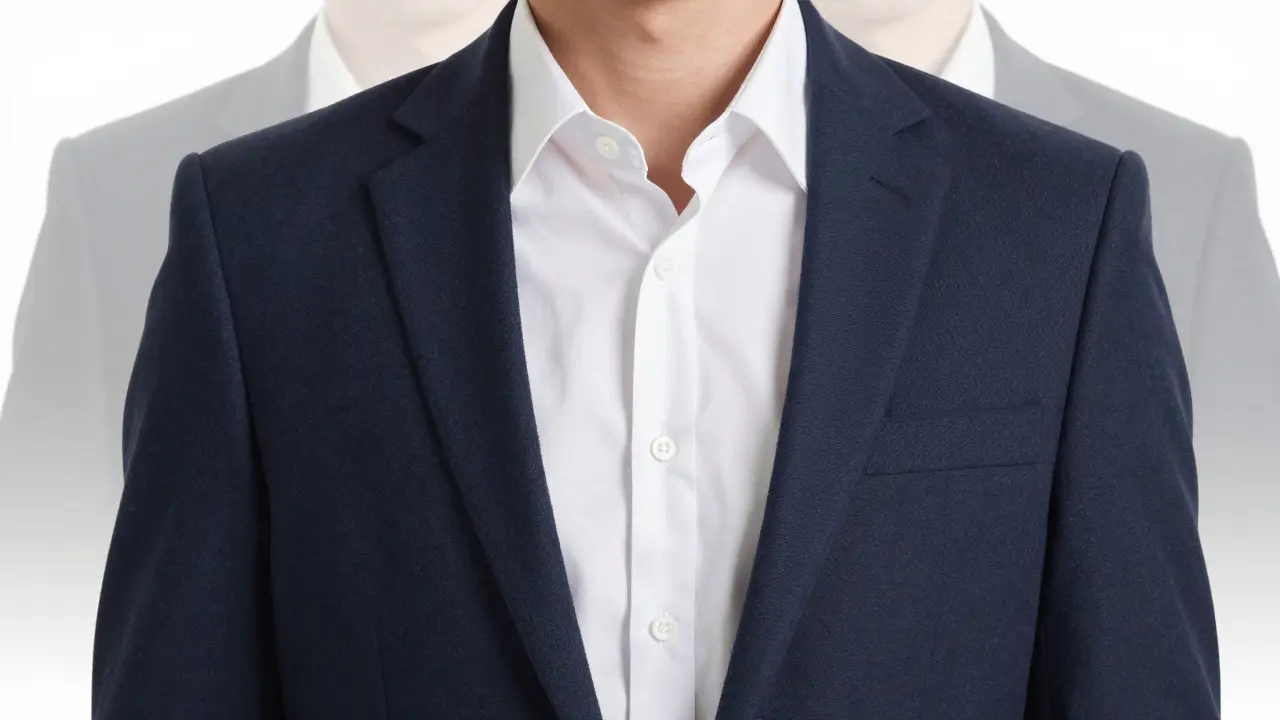
| Layers | Unstructured blazers, cardigans, lightweight jackets | Adds depth and professionalism without the stiffness of formal suiting; easy to remove if you get warm. |
| Accessories | Simple watches, minimal jewelry, neat hair ties | Draws attention to the face; avoids distracting movements; keeps the look intentional. |
Start with five tops. Two crisp shirts, two comfortable knits, and one high-quality tee. Add two layers: one blazer for formal meetings and one cardigan for casual days. This combination gives you over twenty unique outfits. The key is fit. A shirt that is too loose looks sloppy; one that is too tight looks strained. Aim for a relaxed but tailored fit that allows you to move naturally without pulling at the seams.
Fabric Choices That Survive the Screen
Fabric is often overlooked in remote work styling, but it makes a huge difference in how you appear on camera. Some materials reflect light harshly, while others absorb it, making you look flat or washed out.
Avoid shiny synthetic fabrics like polyester satin or cheap lace. These materials act like mirrors, reflecting the light source directly into the lens. This creates glare spots that distract viewers and hide texture. Instead, choose matte finishes. Cotton, linen, wool, and modal have natural textures that catch light softly, adding dimension to your image.
Linen is a great summer option, but it wrinkles easily. If you plan to be on camera for long periods, consider a linen-cotton blend. It offers the breathability of linen with the structure of cotton. For winter, heavy wools can look bulky on screen. Stick to medium-weight merino or cashmere blends that provide warmth without adding visual weight to your shoulders.
Color Psychology and Lighting Hacks
Your choice of color interacts directly with your room’s lighting. If you work in a dim room, dark colors can make you disappear into the background. Lighter tones reflect ambient light, helping your face stand out. Conversely, if you have bright overhead lighting, very pale colors can cause overexposure around your face.
Here is a simple rule of thumb: match your top color to your skin tone’s undertone, not just your preference. If you have cool undertones (pinkish or rosy skin), jewel tones like sapphire, emerald, and amethyst will make you look vibrant. If you have warm undertones (yellowish or golden skin), earth tones like terracotta, olive, and mustard will enhance your complexion.
Also, pay attention to contrast. High contrast between your top and the background helps separate you from the wall behind you. If you have a white wall, avoid wearing white. Choose a darker top to create a clear boundary between you and the background. This simple trick makes your video feed look instantly more professional.
Managing Comfort Without Compromise
The biggest complaint about remote work attire is discomfort. People often feel trapped in stiff clothes all day. The solution is not to wear pajamas, but to invest in fabrics that offer stretch and recovery.
Look for "technical" office wear. Many brands now produce blazers with four-way stretch fabric. They look sharp but move like a hoodie. Similarly, stretch denim or chinos can serve as a base layer if you prefer a more casual vibe, though for most corporate environments, a well-fitted knit polo is a safer bet.
Don’t forget the neck area. Collars that are too tight can leave red marks and restrict breathing, which affects your voice projection. Ensure there is enough room to slide a finger between the collar and your neck. For those who find collars uncomfortable, a mock-neck sweater or a crew-neck tee layered under an open blazer offers a modern, relaxed alternative that still looks polished.

Common Mistakes to Avoid
Even with a great wardrobe, small details can ruin your on-screen presence. Watch out for these frequent errors.
- Clashing Patterns: Wearing a patterned shirt with a patterned blazer creates visual noise. Keep one element patterned and the other solid.
- Over-Accessorizing: Large earrings or chunky necklaces can bounce around as you talk, distracting the viewer. Stick to subtle pieces that stay still.
- Ignoring Hair: Your hair is part of your outfit. Frizzy or messy hair draws attention away from your face. Spend five minutes smoothing it down before joining a call.
- Poor Background Integration: While this isn't clothing, your outfit should complement your background. If you have a busy bookshelf behind you, wear a solid, calm color to balance the scene.
Finally, test your outfit. Before a big meeting, join a dummy call or use your phone’s front camera to see how you look. Check for shadows, glare, and fit issues. This thirty-second habit saves you from embarrassment and ensures you present your best self consistently.
Frequently Asked Questions
What is the best color to wear on video calls?
Neutral colors like navy, charcoal, and white are safest because they flatter most skin tones and don't clash with backgrounds. Avoid pure black if your lighting is poor, as it can swallow facial features. Earth tones and soft pastels are also excellent choices for a friendly, approachable look.
Do I need to wear a tie for remote work meetings?
Generally, no. Ties can look stiff and old-fashioned on camera, especially if they are too long or too thick. An open-collar shirt or a blazer without a tie conveys confidence and modern professionalism. Save ties for special occasions or if your company culture is extremely formal.
How do I stop my clothes from looking wrinkled on camera?
Choose wrinkle-resistant fabrics like polyester blends, rayon, or pre-washed cotton. Hang your clothes immediately after wearing them. If you must iron, focus on the front panels and shoulders, as these are the areas visible on screen. Steaming is faster and less damaging to fabric than traditional ironing.
Is it okay to wear a hat on video calls?
It depends on the context. Baseball caps can cast shadows on your forehead and look casual. Wide-brimmed hats might block your eyes. If you wear a hat for medical or cultural reasons, ensure it fits snugly so it doesn't slip, and position your camera at eye level to minimize shadow effects.
What should I wear if I'm in a hot room during calls?
Opt for breathable natural fibers like linen or cotton. Layering is key: start with a moisture-wicking base layer, then add a light, open-front jacket. This allows you to adjust your temperature quickly without removing your entire outfit. Avoid heavy knits that trap heat.